Quick answer: The DNX Swap Bot is a standalone desktop web application that executes DNX swaps in one click from preset sizes (16 sell presets: 1K–25K DNX; 15 buy presets: 50–1,000 USDC) and bypasses the public mempool entirely to eliminate MEV sandwich attacks. Live block number, ETH, DNX, and USDC balances update via WebSocket with no polling delay. DNX balance updates on a 6-second cache. The bot also includes stuck transaction tools: cancel-all replaces stuck transactions with zero-value self-sends at 1.5× original gas price to free a blocked nonce. Built for active DNX traders placing multiple larger trades per session — contact logicencoder.com/contact for access.
Trading DNX on a standard DEX interface has three problems: slow execution requiring multiple clicks and page loads, stale price data that updates every 10–30 seconds, and vulnerability to MEV sandwich attacks because your transaction sits in the public mempool long enough for bots to detect and front-run it. The DNX Swap Bot is a standalone desktop web application built specifically to address all three. It connects directly to the Dynex ecosystem DEX via WebSocket for live data and executes swaps in a single click using preset trade sizes. Technical overview on GitHub: dnx-swap-webapp-overview.
For on-chain context alongside your trading, see the Dynex Large Transaction Monitor for whale movements and the MEXC Order Flow Dashboard for exchange-side data. Contact for access: logicencoder.com/contact.
What data does the real-time header show and why does each number matter before placing a trade?
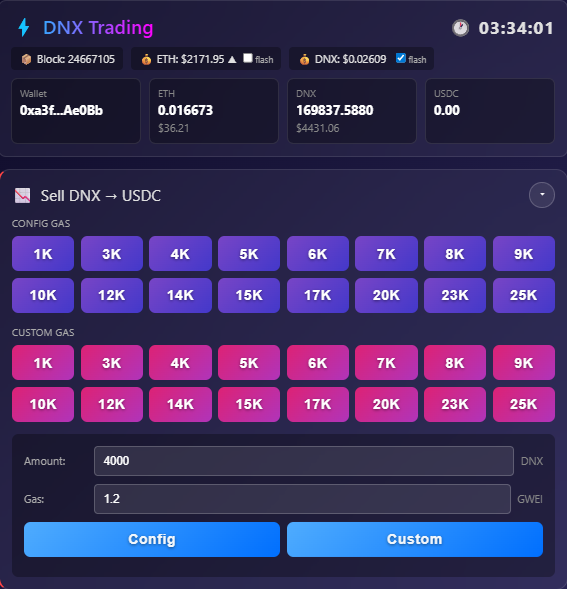
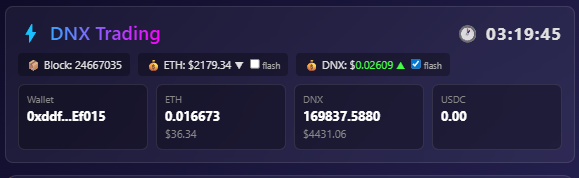
The top bar shows four numbers updated continuously via WebSocket with no polling delay — checking all four before executing prevents the most common causes of failed or mis-sized swaps.
- Current block number — live blockchain block via WebSocket. Confirms the data feed is connected and current before you execute. A stale block number means the feed has dropped and price data may be hours old.
- ETH balance — your available ETH for gas. A swap will fail silently if this is too low. Having it visible at the top prevents failed transactions from insufficient gas before you click.
- DNX balance — your current Dynex token balance, updated with a 6-second cache. This is what you are selling when you swap DNX → USDC. The 6-second cache is a deliberate balance between freshness and RPC call frequency.
- USDC balance — your stablecoin balance available for buying DNX.
How does the one-click swap interface work and what preset sizes are available?
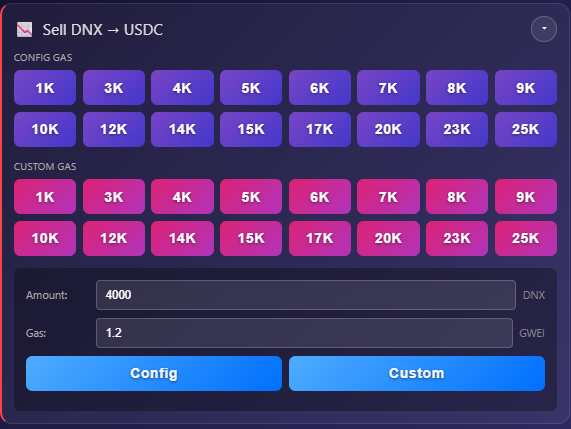
Instead of the standard DEX sequence — type amount, select token pair, approve transaction, confirm — you click one preset button and the swap executes immediately. Gas is calculated and optimised automatically based on trade size: larger trades get higher priority fees for timely inclusion, smaller trades use conservative settings to avoid overpaying.
What sell sizes are available for DNX → USDC?
16 preset sell buttons cover the most common active trading sizes: 1K, 3K, 4K, 5K, 6K, 7K, 8K, 9K, 10K, 12K, 14K, 15K, 17K, 20K, 23K, 25K DNX. Each button shows the real-time cost calculation at current prices before you click.
What buy sizes are available for USDC → DNX?
15 preset buy buttons in USDC amounts: 50, 100, 150, 200, 250, 300, 350, 400, 450, 500, 600, 700, 800, 900, 1,000 USDC, plus an “ALL” button that uses your full available USDC balance. Custom amount input is also available for any size not covered by the presets.
How does the bot protect against MEV sandwich attacks?
Sandwich attacks require detecting your pending transaction in the public mempool — a bot places a buy order ahead of yours and a sell order after it, profiting from the price impact your trade causes. The DNX Swap Bot bypasses the public mempool entirely, so your transaction never enters the queue where MEV bots scan for targets. With no mempool exposure, the attack cannot be initiated. Combined with single-click execution speed and config-driven gas optimisation, sandwich attacks are economically unfeasible against trades placed through the bot.
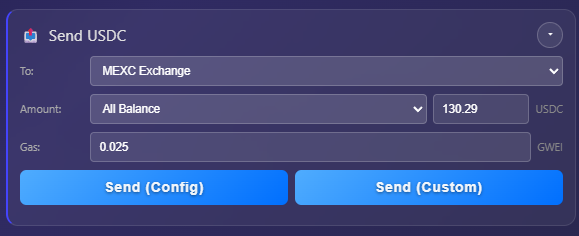
How do I send USDC or ETH to an exchange after a sell without leaving the app?
The sending section keeps fund transfers inside the same interface — pre-configured exchange addresses for MEXC, Gate.io, and other platforms are selectable with one click, eliminating the delay and copy-paste error risk of switching to a separate wallet application to send funds after a sell.
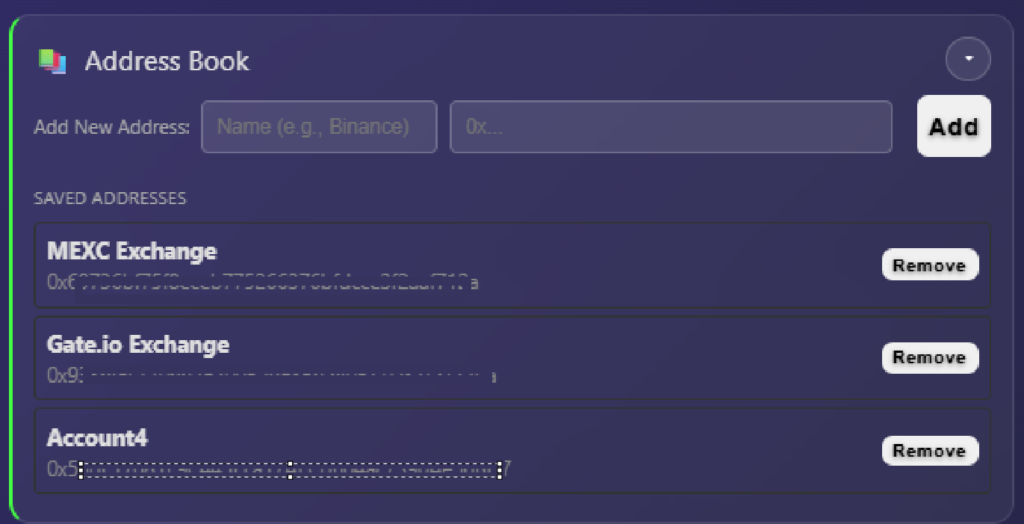
How does the address book prevent copy-paste errors on 42-character Ethereum addresses?
Frequently used addresses — exchange deposit wallets, personal wallets, OTC counterparties — are pre-configured and selectable with one click. No manual address entry means no typos on 42-character Ethereum addresses. All configured addresses are stored locally in the app, not on any external server.
How do I fix a stuck DNX transaction with a blocked nonce?
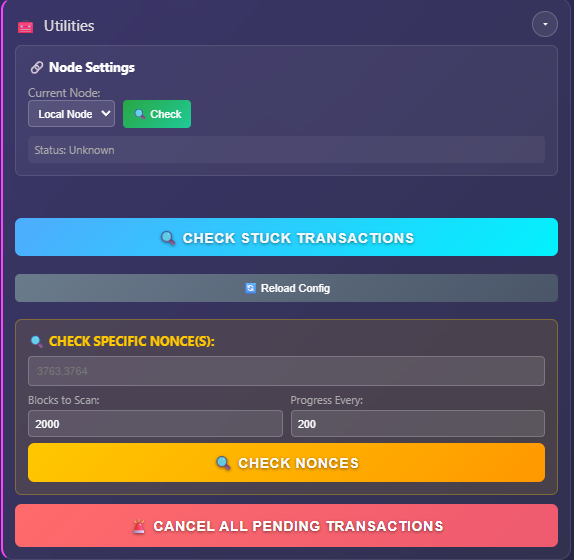
A transaction submitted with too low a gas price sits unconfirmed in the mempool, blocks your nonce, and prevents any subsequent transaction from being processed until it resolves. The transaction utilities panel addresses this directly with three tools — note that these are currently experimental and in active development.
- Check stuck transactions — scans the last 2,000 blocks for unconfirmed transactions from your address, identifying which transaction is blocking the nonce queue.
- Check specific nonce — diagnostic tool for nonce synchronisation issues. When your wallet’s local nonce gets out of sync with the network, you get “nonce too low” or “nonce too high” errors that prevent execution. This tool checks the current on-chain nonce and identifies the mismatch.
- Cancel all pending transactions — emergency cancellation that replaces stuck transactions with zero-value self-sends at 1.5× the original gas price, bumping them out of the mempool queue and freeing your account for new trading.
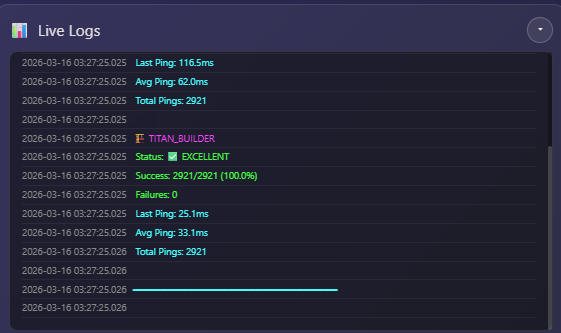
What does the live log feed show during and after a swap?
The live log window shows every operation the bot performs in real time via WebSocket streaming — price updates, balance refreshes, transaction submissions, confirmation receipts, and errors. It updates at each step of the transaction lifecycle, not just at confirmation, so you can see exactly what is happening between the moment you click and the moment the transaction confirms on-chain.
For traders running multiple swaps in sequence, the log is how you confirm each transaction cleared before placing the next one — without waiting for a block explorer to update, which typically adds a 10–30 second lag after confirmation.
Who is the DNX Swap Bot built for?
The DNX Swap Bot is for traders who hold meaningful DNX positions and trade actively enough that execution speed and sandwich protection have real dollar value. If you are placing a single $50 DNX purchase once a week, the standard DEX interface is adequate — the setup overhead is not worth it. If you are executing multiple larger trades during volatile sessions and have had transactions front-run or sat watching a standard DEX interface load while the price moved against you, this was built for that situation.
It runs in a browser as a standalone desktop web application, designed to sit on a second monitor alongside your charting tools and the Dynex Large Transaction Monitor — giving you execution, balance tracking, and fund transfer in one place without switching between applications during a fast-moving session.
Technical overview and architecture on GitHub: logicencoder/dnx-swap-webapp-overview. For access or questions: contact Logic Encoder. See all tools at the applications page.
Cryptocurrency trading involves substantial risk. This tool facilitates execution only — it does not provide trading signals or financial advice. Always verify transaction details before confirming.